YouTube Banner Safe Area Explained: Complete Guide for Perfect Channel Art
Designing a YouTube banner isn't just about choosing the right dimensions. The safe area is one of the most important — and often misunderstood — aspects of channel art.

Quick overview
Many creators spend hours designing beautiful banners only to discover that important text, logos, or graphics are cut off on mobile devices. This happens because YouTube displays channel banners differently across desktops, tablets, smartphones, and TVs.
In this guide, you'll learn what the YouTube banner safe area is, why it matters, the exact dimensions to use, and how to design banners that look professional everywhere.
Related tool: Use our YouTube Channel Banner Downloader — Download full-resolution YouTube channel banners and channel art.
What Is the YouTube Banner Safe Area?
The YouTube banner safe area is the section of your channel art that remains visible across all devices. Since YouTube displays different portions of a banner depending on screen size, only a specific central area is guaranteed to appear everywhere.
Any critical information placed outside this safe zone may be cropped on mobile phones, tablets, or smaller screens. The safe area is where you should place your channel name, logo, slogan, upload schedule, call-to-action text, important branding elements, and social media references.
Think of the safe area as the "must-see" portion of your banner.
Official YouTube Banner Dimensions
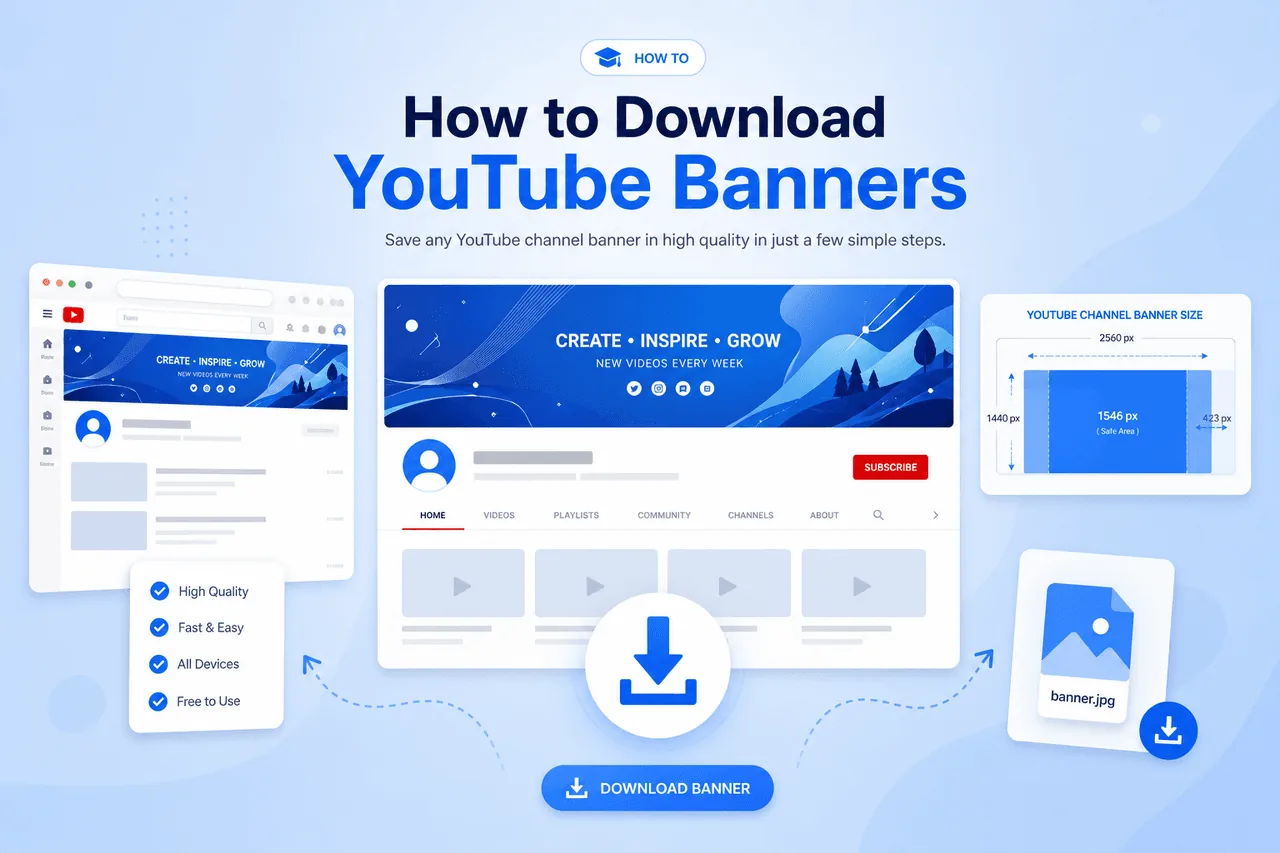
Before discussing the safe area, it's important to understand the full banner size. The recommended banner size is 2560 × 1440 pixels.
| Requirement | Size |
|---|---|
| Full Banner Size | 2560 × 1440 px |
| Safe Area | 1546 × 423 px |
| Aspect Ratio | 16:9 |
| Maximum File Size | 6 MB |
| Recommended Format | PNG |
What Is the YouTube Safe Area Size?
Keep all essential branding inside this centered zone
This central section remains visible regardless of whether someone views your channel on desktop, smartphone, tablet, laptop, or smart TV. Any essential information should remain inside these dimensions.
Why the Safe Area Matters
Many creators assume viewers see the entire banner. Unfortunately, that's not how YouTube works — different devices display different portions of the image.
Mobile Devices
Smallest view
Mobile users see the smallest visible area of your banner.
Tablets
Medium view
Tablets display slightly more of the banner than phones.
Safe Area
1546 × 423
Critical content here stays visible on every device.
Desktop & TV
Largest view
Desktop and smart TV users see the widest section.
How YouTube Crops Channel Banners
When you upload a 2560 × 1440 banner, YouTube automatically adjusts the display based on device type. For example, if your banner has a logo on the far left, channel name in the center, and social links on the far right, mobile users may only see the channel name while the logo and social links disappear completely.
This is why professional designers always place critical elements inside the safe area.
Visual Breakdown of the Banner Layout
A typical YouTube banner includes three zones. The diagram below shows how the safe area sits inside the full 2560×1440 canvas.
Safe Area (1546 × 423 px)
Contains logo, channel name, key branding, and main message — always visible.
Extended Desktop Area
Decorative graphics, background images, and supporting design elements.
TV Display Area
Additional artwork, extended backgrounds, and large visual elements.
The safest approach is to keep all essential information centered.
Best Practices for Using the YouTube Safe Area
Place channel name, logo, tagline, and upload schedule inside the safe area.
Outer portions are ideal for decorative graphics and branding imagery.
Avoid placing text directly against the edges of the safe area.
Preview on desktop, mobile, and tablet before publishing.
Common Safe Area Mistakes
How the Safe Area Supports Branding
A properly designed banner contributes significantly to your channel's visual identity.
Better First Impressions
Visitors instantly understand what your channel offers.
Stronger Branding
Consistent visuals build recognition across every device.
Higher Credibility
Professional channel art signals quality and trust.
Subscriber Confidence
Clear messaging encourages viewers to explore more content.
How to Create a Banner That Works on Every Device
Follow this simple checklist to design channel art that displays correctly everywhere.
Create a 2560 × 1440 Canvas
Start with the full official YouTube banner dimensions.
Mark the Safe Area
Draw a centered zone measuring 1546 × 423 pixels.
Place Important Content Inside
Channel name, logo, tagline, and schedule go in the safe zone.
Use Outer Space for Decoration
Background graphics and extended artwork fill the surrounding area.
Preview on Multiple Devices
Test on desktop, mobile, and tablet before publishing.
Complete YouTube Branding Strategy
Your banner is only one part of a successful YouTube brand.
Channel Banner Downloader
Save and analyze banner designs in full resolution for branding research.
Open tool →Profile Image Downloader
Study successful profile picture designs and branding strategies.
Open tool →Thumbnail Downloader
Analyze high-performing thumbnails and what attracts viewers.
Open tool →Together, these branding elements create a professional and consistent viewer experience. See our YouTube banner size guide for full dimension specifications.
How Successful Creators Use the Safe Area
Top YouTubers understand that channel visitors only spend a few seconds evaluating a channel. That's why they place channel name, niche description, upload schedule, brand slogan, and visual identity elements inside the safe area — everything else serves as supporting design.
Frequently Asked Questions
What is the YouTube banner safe area?
The safe area is the portion of the banner guaranteed to remain visible across all devices.
What are the YouTube safe area dimensions?
The official safe area size is 1546 × 423 pixels.
What is the full YouTube banner size?
The recommended banner dimensions are 2560 × 1440 pixels.
Why does my banner look cropped?
YouTube displays banners differently depending on screen size, causing portions of the image to be hidden outside the safe area.
Can I download YouTube banners?
Yes. A YouTube Channel Banner Downloader can help you save public channel banners for research and inspiration.
Can I download other YouTube branding assets?
Absolutely. A YouTube Profile Image Downloader allows users to save channel avatars, while a YouTube Thumbnail Downloader can be used to download video thumbnails.
Ready to Study Channel Banners?
Download full-resolution channel artwork from any public YouTube channel — free, no account required.
Try YouTube Channel Banner DownloaderConclusion
Understanding the YouTube banner safe area is essential for creating professional channel art that looks great on every device. While the full banner size is 2560 × 1440 pixels, the critical safe zone measures 1546 × 423 pixels and should contain all important branding elements.
By keeping logos, channel names, slogans, and key messaging inside the safe area, creators can ensure their channel remains visually appealing and consistent across desktops, smartphones, tablets, and televisions.
For additional branding research, consider studying channel artwork using a YouTube Channel Banner Downloader, analyzing profile pictures through a YouTube Profile Image Downloader, and reviewing successful video designs with a YouTube Thumbnail Downloader. Together, these elements can help you build a stronger and more recognizable YouTube brand.