How to Download YouTube Profile Pictures (Complete Guide)
A YouTube profile picture is one of the most recognizable elements of a channel's brand identity. Whether you're researching successful creators or want to view a profile image in full size, downloading channel avatars can be extremely useful.

Quick overview
Whether you're researching successful creators, analyzing competitor branding, collecting inspiration for your own channel, or simply want to view a profile image in full size, downloading YouTube profile pictures can be extremely useful.
With a YouTube Profile Image Downloader, you can extract and save channel profile pictures in high quality within seconds — no software or account required.
Related tool: Use our YouTube Profile Picture Downloader — Save channel profile pictures and avatars in high resolution.
In this guide, you'll learn how to download YouTube profile pictures, why people download them, and how profile images contribute to a successful YouTube brand.
What Is a YouTube Profile Picture?
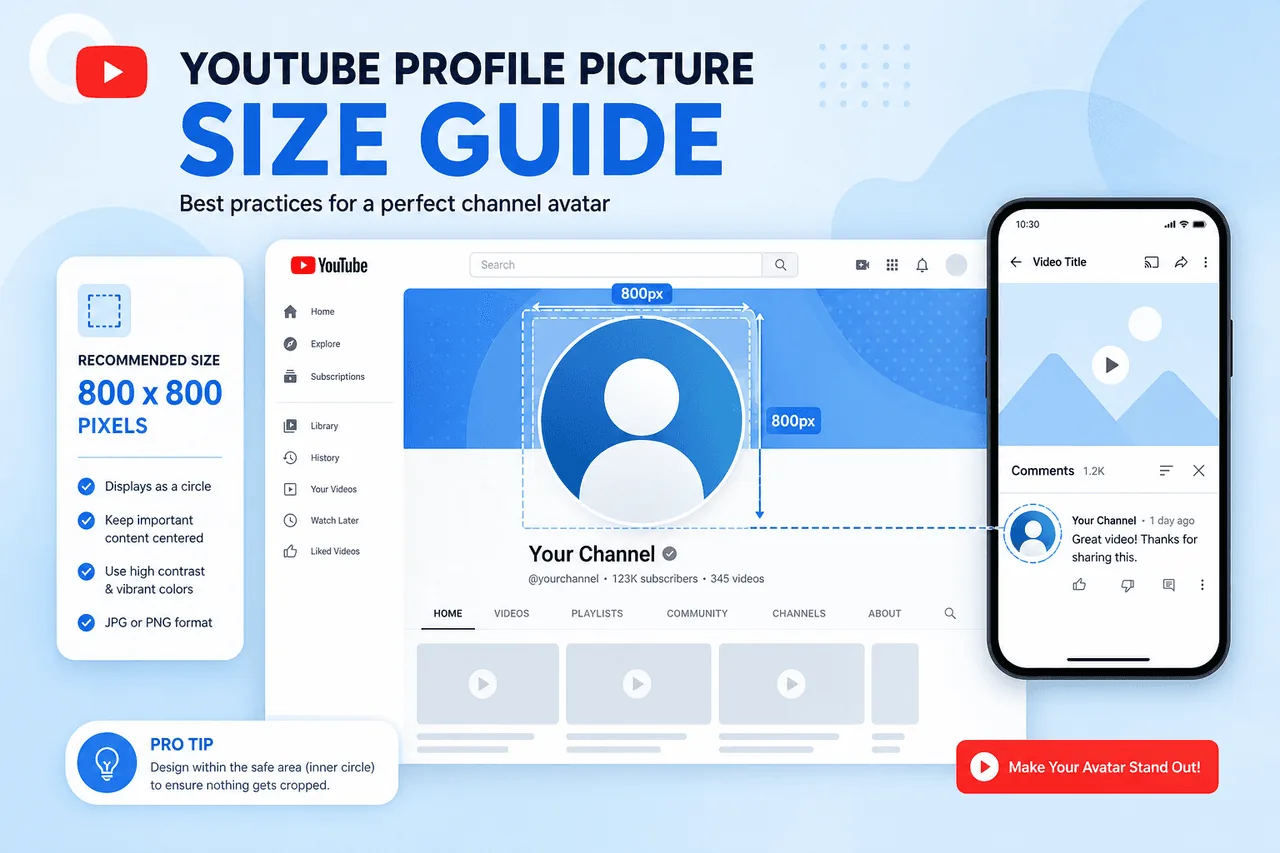
A YouTube profile picture, also known as a channel avatar, is the image displayed next to a channel's name across YouTube. It appears on channel pages, video comments, search results, subscription feeds, community posts, and live chats.
For creators and businesses, a profile picture serves as a visual representation of their brand. A professional and recognizable profile image helps audiences identify channels instantly.
Why Download YouTube Profile Pictures?
There are several reasons users may want to download YouTube profile pictures.
Branding Research
Study successful channels to understand logo placement, colors, typography, and design styles that build recognition.
Competitor Analysis
Analyze competitor branding strategies to identify trends and opportunities within your niche.
Design Inspiration
Collect examples of effective profile images when creating logos and brand assets for your own channel.
Educational Purposes
Use profile pictures to study digital branding and social media marketing practices for research or coursework.
How to Download a YouTube Profile Picture
Downloading a YouTube profile image is simple when using a YouTube Profile Image Downloader.
Open the YouTube Channel
Visit the YouTube channel whose profile picture you want to download.
Copy the Channel URL
Copy the channel URL from your browser's address bar. It may look like youtube.com/@channelname, youtube.com/c/channelname, or youtube.com/channel/channelID.
Use a YouTube Profile Image Downloader
Paste the channel URL into your YouTube Profile Image Downloader tool.
Extract the Profile Image
The tool will retrieve the channel's profile picture and display it in its highest available resolution.
Download the Image
Click the download button and save the profile picture to your device. The entire process takes only a few seconds.
Benefits of Downloading YouTube Profile Pictures
Downloading profile images provides several advantages over taking screenshots.
Better Branding Analysis
View profile pictures in full size to examine details that may not be visible on YouTube.
High-Quality Images
Download cleaner and higher-resolution versions instead of low-quality screenshots.
Research and Inspiration
Collect examples of successful branding strategies from channels within your niche.
Easy Reference
Store downloaded profile images for future design research and competitive analysis.
Understanding YouTube Branding
A successful YouTube brand consists of more than just a profile picture. Thumbnails and channel banners work together to create a strong and memorable brand experience.
Profile Image Downloader
The profile image creates immediate recognition and trust across YouTube.
Open tool →Thumbnail Downloader
Study video thumbnails to see how creators maintain a consistent visual identity.
Open tool →Channel Banner Downloader
Save and analyze banner designs from successful channels at the top of their pages.
Open tool →When profile pictures, thumbnails, and banners work together, they create a cohesive brand that viewers recognize instantly. For a deeper dive into thumbnails, read our guide on how to download YouTube thumbnails in HD quality.
What Makes a Great YouTube Profile Picture?
Successful YouTube channels often share several profile picture characteristics.
Simple designs are easier to recognize across devices and screen sizes.
Bright and contrasting colors improve visibility in comments and search.
Profile pictures should match the channel's overall branding strategy.
A clean image helps establish credibility and trust with viewers.
Viewers should identify the channel instantly when scrolling.
Common Profile Picture Mistakes
Many creators make mistakes that reduce the effectiveness of their channel branding.
Why Profile Pictures Matter on YouTube
A profile picture is often the first visual element users associate with a channel. Strong profile pictures can:
- Improve brand recognition
- Increase audience trust
- Support channel growth
- Create a professional appearance
- Help channels stand out from competitors
Many successful creators invest significant time into developing profile images that reflect their brand identity.
Best Practices for Using Downloaded Profile Pictures
When downloading YouTube profile pictures, it's important to follow ethical and legal guidelines.
Respect Copyright
Profile pictures belong to their original creators. Always treat downloaded images as someone else's intellectual property.
Use for Research and Inspiration
Downloaded images should primarily be used for education, research, analysis, inspiration, and branding studies.
Avoid Commercial Use Without Permission
Always obtain permission before using someone else's creative assets commercially.
Frequently Asked Questions
Can I download YouTube profile pictures for free?
Yes. A YouTube Profile Image Downloader allows users to download public profile pictures without paying any fees.
Can I download profile pictures in HD quality?
Most profile image downloaders retrieve the highest available image resolution from YouTube's servers.
Do I need software to download profile pictures?
No. Modern downloaders work directly within your browser — no installation required.
Can I download other YouTube images?
Yes. Besides profile pictures, you can use a YouTube Thumbnail Downloader to save video thumbnails and a YouTube Channel Banner Downloader to download channel artwork.
Is downloading profile pictures legal?
Downloading publicly accessible profile pictures for research, education, and analysis purposes is generally acceptable. However, users should respect copyright and intellectual property rights.
Ready to Download a Profile Picture?
Paste any public YouTube channel URL and save the profile image in seconds — free, no account required.
Try YouTube Profile Image DownloaderConclusion
Downloading YouTube profile pictures is an excellent way to study branding strategies, gather design inspiration, and better understand how successful creators present themselves online.
Using a YouTube Profile Image Downloader, you can quickly save high-quality channel profile images for research and analysis. To gain a complete understanding of a channel's branding approach, consider also exploring video thumbnails with a YouTube Thumbnail Downloader and channel artwork using a YouTube Channel Banner Downloader.
Together, these elements reveal valuable insights into how successful YouTube creators build memorable brands, attract audiences, and grow their channels over time.